Clovoso: cinematic website templates and the AI prompts behind them

Build a single-screen hero section for {{BRAND}}, {{NICHE}}.

Scroll-driven website templates, and the AI prompts that build them.

“Build a single-screen hero section for {{BRAND}}, {{NICHE}}.”

Cinematic websites,one prompt away.

Pick a title.Watch it move.

Each preview is a real site built from a single prompt. Choose one to put it on the screen.

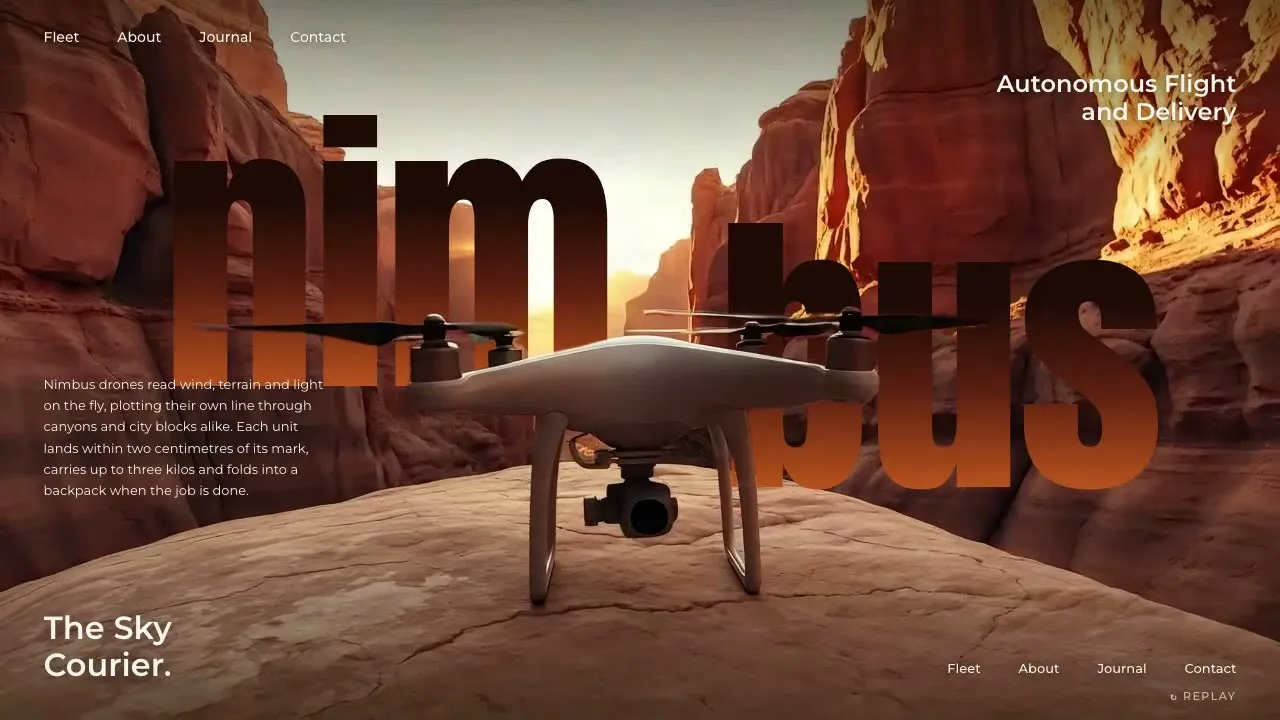
Nimbus Aero

Fly-in landing hero + subject-over-wordmark

Open the prompt

The library

Every preview comes with the prompt that made it. Open one, copy it, and paste it into Claude, Cursor or v0.

39 templates. Lifetime access unlocks every Pro prompt.

Copy. Paste.Launch.

  1. Step 1

    Pick a prompt

  2. Step 2

    Paste it into your AI

  3. Step 3

    Launch it

Website prompt, Nimbus Aero

Build ONLY a single-screen cinematic HERO SECTION for {{BRAND}} ({{NICHE}}) in the "fly-in landing + subject-over-wordmark" style — one 100svh block, no other sections, no page scroll. It must drop into an existing page as-is. Stack: plain HTML/CSS/JS (or React) + GSAP 3, Google Fonts. The centerpiece is my clip `asset.mp4` ({{DURATION}}, 16:9): {{SUBJECT}} travels in from far away, grows toward camera and lands/settles dead-center in the foreground, then holds still.…

yourbrand.com

Want one built for you?

Our studio takes on a few client sites each month. Those builds never go into the library.

Start a project

Every prompt.Pick your plan.

Join 6,100+ builders shipping cinematic sites with Clovoso.

  • Every template, component, shader, section and UI screen
  • New prompts every Friday, for as long as Clovoso runs
  • Use them for yourself and for client work
  • FREE

    $0

    3 copies a day

    Free templates only

  • MONTHLY

    —/mo

    Unlimited copies

    Every template

  • ANNUAL

    —/yr

    Unlimited copies

    Every template

  • LIFETIME

    $299

    Unlimited, forever

    Every template

One email a week. Unsubscribe any time.

Landing PagePro

Isbrae

Shatter-burst hero + framed shrink + diamond mosaic + lit manifesto + wordmark finale

A dark, cinematic landing page. A pinned hero scrubs a clip of the subject breaking out of a shell while 3D fragments fly toward the camera across the whole page; a split headline rises around the subject with a counting HUD, then the hero shrinks into a framed window and fades. Below: a copy column beside a rotated 2x2 diamond mosaic whose tiles blur in one by one with a figure counter, a manifesto lit word by word on scroll, and a giant wordmark that rises letter by letter with a cutout of the subject rising in front of it.

  • Header (fixed): glyph + spaced-caps brand with a small sub-line on the left; a centred frosted glass pill holding three nav links numbered with italic serif roman numerals (i., ii., iii.); a pulsing status dot with two lines of spaced mono caps; a light pill CTA with a dark circular arrow on the right. It hides when scrolling down and slides back when scrolling up.
  • Hero (pinned, ~340vh): full-bleed canvas of the frame sequence (subject centred, fragments breaking off it). Bottom-left: eyebrow with a short rule + an italic serif lede; bottom-right: a dim label over an italic serif date range; centre-bottom: a tiny 'scroll' hint with a dripping line. 0-7% of the scroll those fade down; 0-74% scrubs the clip; 4-18% a split headline rises out of masks - heavy condensed caps on the left, a large italic serif phrase on the right, the subject between them; 6% a HUD on the right (label, big condensed number counting down with scroll, a thin progress bar with a % readout); 16% a glass pill CTA with a down arrow appears centre-bottom.
  • Hero exit (74-100%): headline, HUD and CTA fade up; four thin guide lines appear and the canvas clips into a centred framed window (clip-path inset to roughly 15% / 27%), then fades and drifts up into the dark page.
  • Fragment field (whole page): a fixed canvas above the content (below the header) of 30-40 faceted fragments in 3D - they spawn far away, fly out toward the camera with perspective, tumble (rotate + flip), get bigger and blurrier as they get close (three pre-blurred sprite levels), and speed up with scroll velocity. The intro fires one burst from the subject's centre the moment the loader lifts.
  • Section 2 (pinned): a thin vertical rail with a glowing dot that travels with progress; left column with eyebrow + italic 'fig. 01 of 04' counter, a 3-line condensed caps headline whose last line is an indented italic serif accent in the accent colour, a hairline, an italic serif sub, a body paragraph and a light pill button. Right: a 2x2 grid rotated 45 degrees into a diamond with gaps; each tile shows an upright (counter-rotated) close crop. Tiles blur-and-scale in one by one with scroll; the counter and a caption row ('Fig. 1 NAME' ...) light up as each lands; the mosaic drifts up and turns a few degrees; the section exits with copy and mosaic sliding up.
  • Section 3 (pinned): mono eyebrow '02 - ...' over a huge condensed caps paragraph with italic serif accent words; every word starts at ~14% opacity and is lit in reading order as you scroll (accent words light up in the accent colour).
  • Finale (pinned) + footer: a radial glow fades in, a giant one-line condensed wordmark rises letter by letter out of a mask across the top third, and a transparent cutout of the subject rises from below in front of the letters (overlapping their lower part). A glass mono pill CTA and two lines of small mono caps fade in over the subject's base. Slim footer: concept line, three links, back-to-top.
  • Interactions inventory: native cursor, nothing draggable. Nav links get a soft capsule on hover; every pill lifts 2px and its arrow circle slides and turns 45 degrees (the down arrow nudges down); the status dot pings; mosaic tiles zoom their image slightly, brighten and get an accent outline on hover/focus, and the matching caption lights up (hovering a caption lights its tile). Tiles are buttons (keyboard focusable) with user-select off, so dragging across the mosaic never selects text. Anchor links scroll through Lenis.
  • Load: themed loader (spinning glyph, brand, italic sub, % counter, progress line) over the blurred first frame; frame 0 is drawn and every intro element is hidden before first paint, then the loader fades and the intro plays: canvas un-blurs, fragments burst, header drops in, corner copy rises.
  • Palette (Isbrae example): night #070d18, navy #0c1a2e, ice #ddf3fa, frost #f1f7fa, accent cyan #7fd6ea / #4fb8d4, muted #7d8fa6, hairlines rgba(221,243,250,.16).
  • Type (Isbrae example): Big Shoulders Display 800-900 (headlines, HUD number, wordmark), Instrument Serif italic (accents, lede, figure labels), Inter Tight (UI, body), IBM Plex Mono (status, HUD labels, small caps).
  • sectionPrompts (extra stills for the mosaic, same palette/light as the hero): 'Photoreal macro photograph, 1:1. The inside wall of a glacier ice cave: layered translucent blue ice with trapped air bubbles and fine fractures, lit from behind by cold cyan light, deep midnight-blue shadows in the corners, crisp detail, cinematic. No text, no people.' / 'Photoreal close photograph, 1:1. Clear glacial meltwater pouring in a thin glassy sheet over smooth black basalt rocks, with small clear ice fragments caught on the stones, at night under cold cyan light, deep midnight-blue background, crisp droplets frozen mid-air, cinematic. No text, no people.' / finale subject for the cutout: 'Photoreal studio product photograph, 16:9. The same {{SUBJECT}} stands perfectly upright and centred, shot slightly from below, full subject visible with generous empty space above it, plain seamless {{BACKGROUND}} backdrop, soft rim light on both edges. Sharp edges, clean silhouette for cutout. No text.' The other two tiles are crops of the hero still and the finale still.
The full prompt unlocks when you copy it

Fill these in to make it yours