Clovoso: cinematic website templates and the AI prompts behind them

Build a single-screen hero section for {{BRAND}}, {{NICHE}}.

Scroll-driven website templates, and the AI prompts that build them.

“Build a single-screen hero section for {{BRAND}}, {{NICHE}}.”

Cinematic websites,one prompt away.

Pick a title.Watch it move.

Each preview is a real site built from a single prompt. Choose one to put it on the screen.

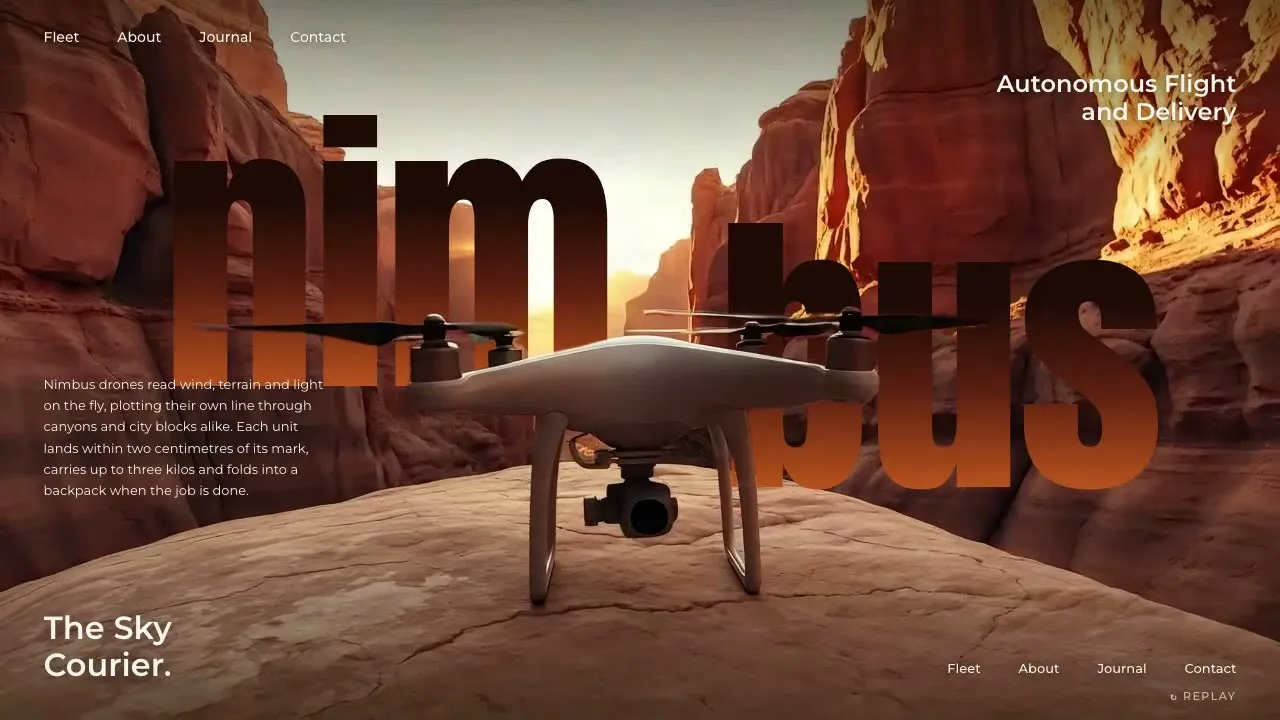
Nimbus Aero

Fly-in landing hero + subject-over-wordmark

Open the prompt

The library

Every preview comes with the prompt that made it. Open one, copy it, and paste it into Claude, Cursor or v0.

39 templates. Lifetime access unlocks every Pro prompt.

Copy. Paste.Launch.

  1. Step 1

    Pick a prompt

  2. Step 2

    Paste it into your AI

  3. Step 3

    Launch it

Website prompt, Nimbus Aero

Build ONLY a single-screen cinematic HERO SECTION for {{BRAND}} ({{NICHE}}) in the "fly-in landing + subject-over-wordmark" style — one 100svh block, no other sections, no page scroll. It must drop into an existing page as-is. Stack: plain HTML/CSS/JS (or React) + GSAP 3, Google Fonts. The centerpiece is my clip `asset.mp4` ({{DURATION}}, 16:9): {{SUBJECT}} travels in from far away, grows toward camera and lands/settles dead-center in the foreground, then holds still.…

yourbrand.com

Want one built for you?

Our studio takes on a few client sites each month. Those builds never go into the library.

Start a project

Every prompt.Pick your plan.

Join 6,100+ builders shipping cinematic sites with Clovoso.

  • Every template, component, shader, section and UI screen
  • New prompts every Friday, for as long as Clovoso runs
  • Use them for yourself and for client work
  • FREE

    $0

    3 copies a day

    Free templates only

  • MONTHLY

    —/mo

    Unlimited copies

    Every template

  • ANNUAL

    —/yr

    Unlimited copies

    Every template

  • LIFETIME

    $299

    Unlimited, forever

    Every template

One email a week. Unsubscribe any time.

Hero SectionPro

Hushloft

Cursor-follow mascot hero with gaze HUD

One full-screen hero, no scroll: a big, deadpan mascot sits dead centre on a seamless colour backdrop and turns its head left or right to follow the visitor's cursor (a frame sequence on a canvas, mirrored for the second side), while a small HUD reacts with it: an eye ring whose pupil leans toward the pointer, a draggable gaze meter that reads out the angle in degrees, and a rotating circular badge whose arrow points at the cursor. A stacked headline sits on the left, social proof on the right, and a rail of frosted glass cards runs off the right edge.

  • Layout: one 100svh block, overflow hidden, no other sections and no page scroll. Full-bleed canvas behind everything; the mascot is centred (head roughly in the middle third, eyes ~40% from the top), the backdrop on both sides carries the UI.
  • Two-sided head turn from one clip: a single turn from facing the camera to a three-quarter profile toward ONE side; the other side is the same frames drawn mirrored on the canvas. The front pose must be exactly symmetric, and the frames mirror around the nose's x (stored in frames.json as mirrorAxis), so crossing the centre is seamless. Overscale the cover fit ~3% so the flipped image never shows an edge.
  • Cursor-follow: gaze g in [-1, 1] from the pointer's X relative to the head (normalised by the distance to that screen edge, eased with a 0.8 power), g < 0 = look to screen-left (frames as recorded), g > 0 = mirrored. Frame = center + |g|·(full − center); current += (target − current)·0.09 per rAF; redraw only when frame or side changes. ~3s without movement → ease back to facing the camera. On load the head does one slow look-left-then-right sweep (~3.2s) starting when the loader lifts.
  • Eye ring (above the kicker, left column): a 62px outline circle with a 16px glowing dot inside; the dot leans toward the pointer (clamped to the ring, stronger the farther the pointer is) with a 0.14 lerp, and follows the current gaze when the pointer is idle. Always visible.
  • Gaze meter (bottom-left, under the CTAs): a pulsing accent dot + 'GAZE' label, a thin track with a filled segment from the centre to a light round knob, and a live readout like '42° LEFT' / '0° AHEAD' / '68° RIGHT'. The knob always mirrors the head's gaze. It is also a real slider: drag the track (pointer capture, no text selection, grab/grabbing cursor, knob grows while held) to steer the head directly, it holds the chosen angle ~1.8s after release; role=slider with arrow/Home/End keys. On phones this is the main way to steer.
  • Rotating badge (bottom, between CTAs and cards): circular text 'FOLLOW THE CURSOR · PONDER IS ON DUTY ·' turning slowly (18s per turn) around an arrow that rotates to point at the pointer (eased, shortest-angle).
  • Headline column (left): accent check badge + spaced caps kicker, a three-line stacked display headline (~6vw, last line in the accent colour) whose lines rise from masks on load, and a 3–4 line paragraph ending with an invitation to move the cursor.
  • Right column: an overlapping avatar stack (crops of the mascot at different turn angles, the last circle an accent '+38k' chip) above a two-line serif proof line and a small sub line.
  • Card rail (bottom-right, runs off the right edge so the 3rd card is clipped): frosted glass cards (backdrop blur, 1px light border, 18px radius) with a 2-line serif title, a short line, a light 'GO' pill, and a crop of the mascot (a frame from the sequence at a different angle) bleeding off the card's right side. Hover lifts a card 6px. The rail scrolls sideways by mouse drag (no click fires after a drag), vertical wheel, trackpad or touch swipe.
  • Nav: avatar circle + three pill links (first one filled), a centred wordmark with a small glyph, two ghost pills plus search and grid icons on the right.
  • Interaction hygiene: the hero is user-select:none with touch-action:none (the rail keeps pan-x), media -webkit-user-drag:none, the slider and rail use pointer capture and preventDefault on pointerdown, focus-visible outlines, canvas aria-hidden.
  • Load: themed loader (a crescent that fills with the accent colour, brand wordmark, 'FLUFFING THE PILLOWS · 64%' counter) over chunked frame preloading. A .js-intro class set by an inline head script hides every intro element before first paint; the intro's start states are applied with gsap.set, then the guard is lifted, the first frame is drawn, and only then the loader fades (gets .is-done) while nav, headline lines, eye ring, copy, cards (fly in from the right), CTAs, gaze meter and badge stagger in.
  • Mobile (≤760px): a native square crop of the upscaled clip, drawn bottom-anchored at ~112% of the viewport width so the whole head sits under the headline (the strip above is filled with the frame's top backdrop colour and a fade); the eye ring moves beside the headline; paragraph, proof, badge and cards hide; full-width CTA row and a full-width gaze slider at the bottom. With no touch the head runs a slow look-around loop; dragging the slider steers it.
  • Reduced motion: no canvas or follow; three static poses (front, left, right) crossfade every 4.5s; no badge spin or pulse; the intro guard is skipped.
  • Palette (example): backdrop royal night blue #1c2a78 / deep #121a4e, ink #0d1233, cream #f7efe1, accent peach #f6b48f. Type (example): Fraunces 800 for display and card titles, Manrope 500–800 for UI.
The full prompt unlocks when you copy it

Fill these in to make it yours